
After binding, your policy documents are emailed to you automatically within 5 minutes. You can also download your quote or policy documents at any time by logging in to the WebRater using the steps below.
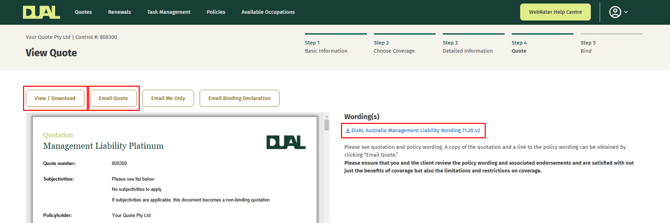
How do I download quote documents from the WebRater?
- Go to the quote tab and click on 'View / Download' or click on the wording listed under 'Wording(s)'
How do I download policy documents from the WebRater?
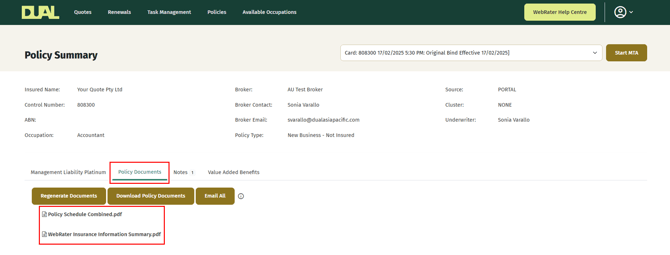
- Go to the Policies tab and locate the relevant policy.
- Click into the policy and select the 'Policy Documents' tab. All available documents will be listed there and ready to download.
If you do not receive your policy documents within 24 hours, please contact your local DUAL underwriter, or reach us via email at [email protected] or by phone on 1300 769 772.